Easy Step 123

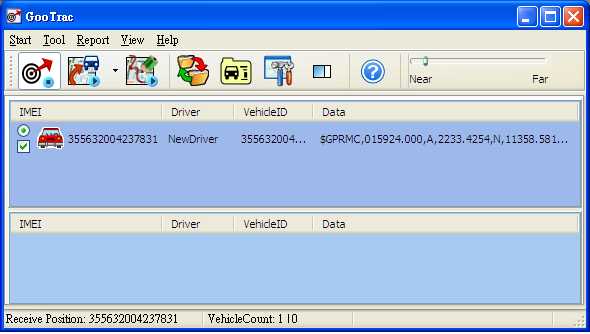
First of all, run GooTrac software in your PC.
|
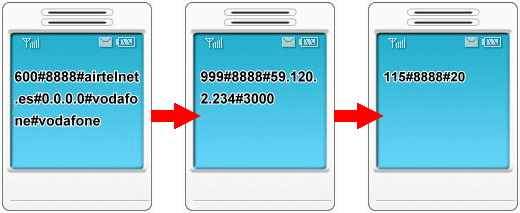
Step1. Set GPRS APN - send SMS command 600# to the tracker. 600#Password #APN#IP#User#APN_Password (ex. 600#8888#airtelnet.es#0.0.0.0#vodafone#vodafone) <Please check with your mobile operator for the APN data. You can find the right command in "Send my GPRS APN command".>
Step2. Set IP Address - send SMS command 999# to the tracker. 999#Password#ServerIP#Port (ex. 999#8888#59.120.2.234#3000 - send the data to the server.) <Go to http://www.gopass.com.tw; click “See My IP Address” to get the data.>
Step3. Set transmission time interval – send SMS command 115# to the tracker. 115#Password#XX (ex. 115#8888#20 - send back data each 20 seconds)
|
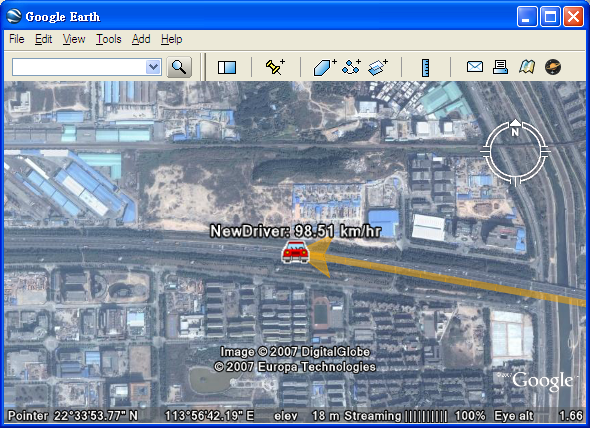
The position data will be prompted in GooTrac main screen; you can start to track over Google Earth. Double click the vehicle icon Google Earth will “Fly to” the vehicle position.